01
Hotel Commander
A focused workspace for the guest stay.
- Rooms and availability
- Guest information
- Housekeeping coordination
Bring room information, guest needs, and housekeeping priorities into a clear operational view.
Ask about Hotel Commander → COMMANDERINTEGRATED SYSTEMS
THE COMMANDER FAMILY
Focused programs for the work your business does every day. Explore the Commander family and its phone companions below.
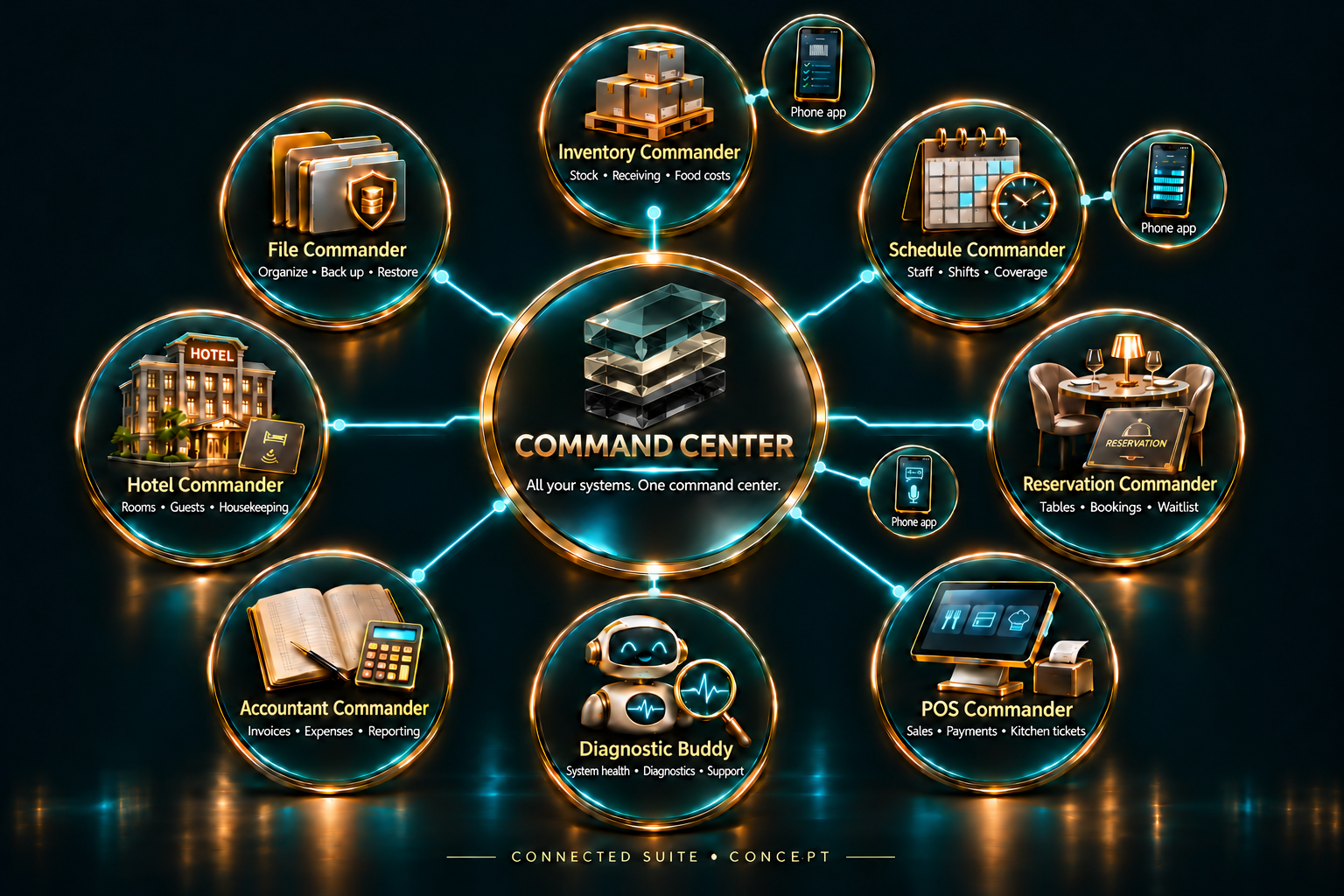
COMMAND CENTER
The central home for the Commander family: a shared place for AI assistance, permissions, and business information.
A mobile connection to the assistant and supported business workflows while you are away from the desk.
A focused workspace for the guest stay.
Bring room information, guest needs, and housekeeping priorities into a clear operational view.
Ask about Hotel Commander →Business information, organized and within reach.
Keep essential documents together, find the information behind a task, and manage saved credentials through the local vault.
Ask about File Commander →A clearer view of the numbers behind the business.
Organize financial paperwork and review the records that support day-to-day business decisions.
Ask about Account Commander →A friendly place to start when something needs attention.
Bring system checks and troubleshooting information into a focused view so issues are easier to understand and communicate.
Ask about Diagnostic Buddy →The sales counter and kitchen workflow.
A dedicated place for the transaction workflow, connecting the front-of-house order with the work it creates in the kitchen.
Ask about POS Commander →Keep the next service organized.
Bring reservation details, table planning, and waiting guests into a shared view of the service ahead.
Ask about Reservation Commander →Staffing and shift planning in one workspace.
Review the week, check coverage, and prepare proposed shift changes with the restaurant’s staffing needs in view.
Review scheduling information on the go and send supported schedule requests to the paired desktop.
From stock counts to the next order.
Review stock, record counts, work with receiving information, and keep product and supplier details close to the ordering workflow.
Update inventory counts, review inventory and ordering information, and work with the AI assistant while moving between phone pages.